






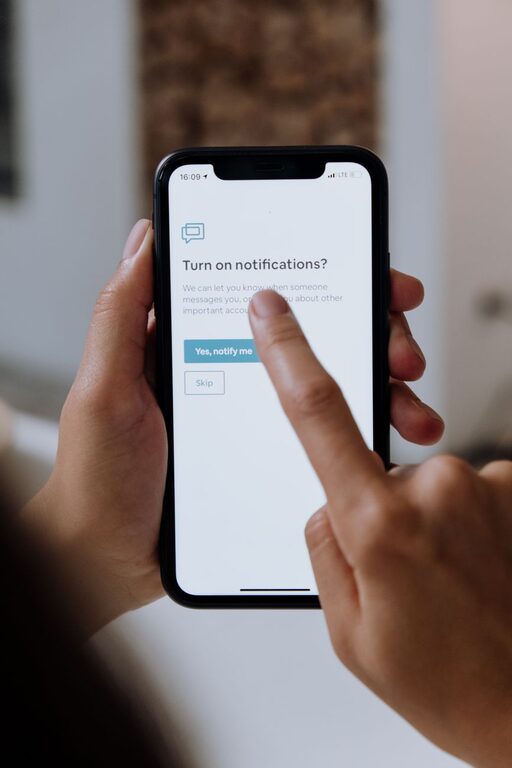
Notifications can be useful reminders, but they can also interrupt your attention throughout the day. A message alert, app update, news notice, or calendar reminder may seem small on its own. Over time, however, frequent interruptions can make it harder to focus, relax, or stay present.
Setting boundaries with notifications does not mean ignoring important information. It means deciding what deserves your attention, when you want to receive it, and which alerts can wait. With a few changes to your devices and daily routines, you can create a notification system that supports your priorities instead of competing with them.
Start by Reviewing Your Notifications
Before changing your settings, take a few minutes to notice what is currently reaching you. Many apps turn on notifications by default, even when their alerts are not essential.
Review the notifications on your phone, tablet, computer, and smartwatch. Look for patterns such as:
– Apps that send frequent promotional messages
– Social media alerts that encourage immediate checking
– Group chats that are active throughout the day
– News or entertainment updates that are not time-sensitive
– Repeated reminders from apps you rarely use
– Alerts that duplicate information shown on another device
Make a simple list of the notifications you receive most often. This can help you identify which alerts are useful and which ones create unnecessary noise.
Decide What Is Truly Important
Not every notification needs the same level of attention. A helpful first step is to sort alerts into three categories:
Essential notifications
These are alerts that may require timely attention. Examples can include calls from selected contacts, calendar reminders, travel updates, or messages related to an important task.
Useful but not urgent notifications
These alerts may be helpful, but they do not need to appear immediately. Examples include personal email, social media messages, app activity, or updates from online services.
Unnecessary notifications
These alerts provide little value or encourage you to open an app without a clear reason. Examples may include sales notices, game updates, frequent recommendations, and repeated promotional messages.
Keep essential notifications available, move useful but nonurgent alerts into a scheduled summary, and turn off unnecessary notifications whenever possible.
Turn Off Notifications You Do Not Need
The simplest way to create better boundaries is to disable alerts that do not support your goals. Most devices allow you to control notifications for each app.
Open your device settings and review apps one at a time. Ask yourself:
– Does this alert help me take action?
– Would I miss something important if it were turned off?
– Can I check this information at a time I choose?
– Does the alert make me feel rushed or distracted?
– Is the same information available elsewhere?
If an app sends several types of alerts, you may not need to disable all of them. For example, you could keep direct messages on while turning off promotional notices and activity updates.
Use Scheduled Summaries
A scheduled summary groups less important notifications and delivers them at selected times instead of immediately. This feature is available on many modern phones and operating systems.
Choose one or two times that fit your routine, such as:
– Late morning
– Early afternoon
– The end of the workday
– Early evening
A summary can prevent your device from interrupting you every few minutes. It also gives you a predictable time to review updates without feeling that you must respond as soon as they arrive.
Start with a small number of summaries. If you receive too many alerts at once, reduce the number of apps included or create separate schedules for work, personal messages, and entertainment.
Create Focus Periods
Focus periods are blocks of time when most notifications are paused. They can be useful during work, study, creative projects, meals, exercise, or personal activities.
When creating a focus period, decide:
- What activity requires your attention?
- How long will the focus period last?
- Which people or apps can reach you if needed?
- When will you check other notifications?
For example, you might create a 60-minute focus period for concentrated work and a 30-minute period for reading. You can allow calls from selected contacts while silencing other alerts.
A clear end time can make focus periods easier to follow. Knowing when you will check messages again may reduce the urge to look at your device during the block.
Protect the Start and End of Your Day
The first and last minutes of the day can shape how you feel and what you focus on. Checking notifications immediately after waking up may pull your attention into other people’s requests and updates before you have planned your own priorities.
Consider delaying notifications until after a morning routine. You could begin with breakfast, movement, reading, or a quick review of your schedule.
At night, set a time when nonessential notifications stop. Use a sleep or nighttime mode to reduce alerts during your rest period. Keep the settings that matter to you, such as an alarm or selected calls, while pausing everything else.
These boundaries do not have to be strict. Even a 20- or 30-minute buffer in the morning and evening can make your device feel less demanding.
Manage Sound, Vibration, and Visual Alerts
Notifications can interrupt you even when you do not open your device. Sounds, vibration, screen lighting, and banners all compete for attention.
For less important alerts, consider:
– Turning off notification sounds
– Disabling vibration
– Removing lock screen previews
– Using banners that disappear automatically
– Hiding notification badges
– Keeping the device face down during focused activities
Visual previews can also reveal personal information when messages appear on a shared desk or in a public place. Turning off previews can provide more privacy while still allowing you to see that a notification arrived.
Set Boundaries for Work and Personal Messages
Messages from coworkers, clients, friends, and family can become mixed together on one device. Separating them can make it easier to manage attention.
If possible, use different notification settings for work and personal apps. You might allow work alerts during working hours and silence them afterward. For personal messaging, you could check at planned times rather than responding continuously.
It can also help to communicate your availability. A short status message such as “I check messages at set times and may respond later” can reduce pressure to reply instantly. Clear expectations often make digital boundaries easier for everyone.
Avoid Replacing Every Alert With Manual Checking
Turning off notifications can be helpful, but repeatedly checking apps may create the same problem in another form. Choose specific times to review messages, email, or social platforms.
For example, you might check messages at the start of the day, around lunch, and in the late afternoon. Adjust the schedule based on your responsibilities. The goal is not to follow a perfect timetable; it is to replace random checking with intentional checking.
During each review, handle what you can, save items that need more time, and close the app when you are finished.
Review Your Settings Regularly
Your notification needs may change as your work, projects, and relationships change. Set a reminder to review your settings once a month or at the start of a new season.
Ask yourself:
– Which alerts have been useful?
– Which ones have become distracting?
– Are there apps I no longer use?
– Do my focus schedules match my current routine?
– Am I receiving duplicate alerts across devices?
A short review keeps your settings practical instead of letting them grow cluttered over time.
Build a System That Fits Your Life
The best notification boundary is one you can maintain. You do not need to silence every alert or use every available feature. Start with one change, such as turning off promotional notices or creating a quiet evening period.
Then observe how the change affects your attention. Keep what works and adjust what does not. With thoughtful settings and predictable checking habits, notifications can become useful tools rather than constant interruptions.